Voice Anywhere for Accessibility Users
Use your Mac fully without a keyboard. Voice Anywhere provides efficient, comfortable computer access for users with RSI, mobility limitations, or other conditions.
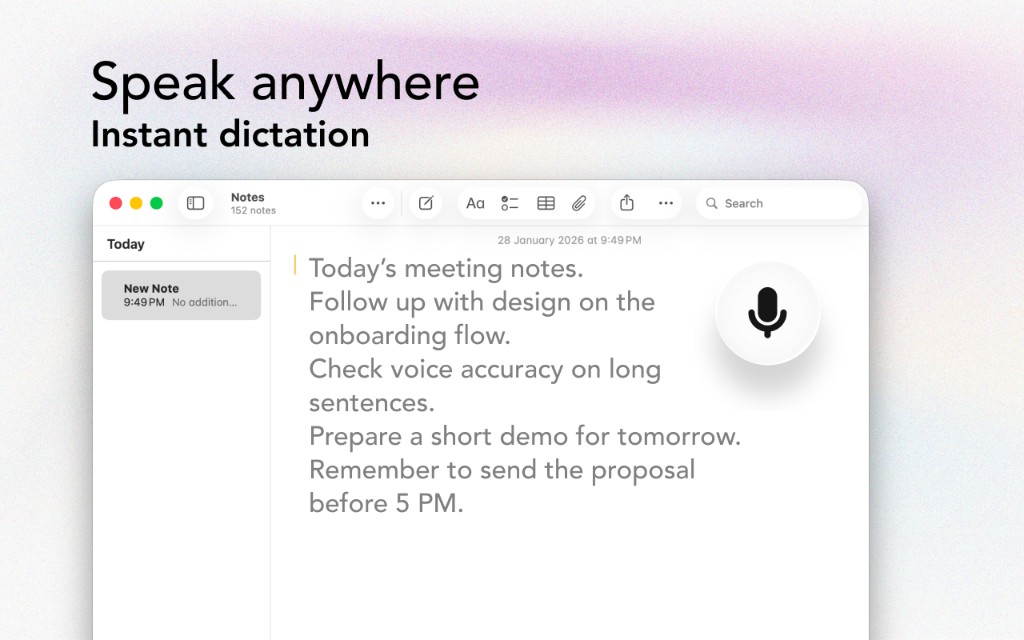
Use your Mac fully without a keyboard. Voice Anywhere provides efficient, comfortable computer access for users with RSI, mobility limitations, or other conditions.
The Problem
Your voice is your most powerful input device
Repetitive strain injuries make typing painful or impossible. But work and life still require computer use.
Physical conditions may prevent traditional keyboard use. Alternatives are essential.
Broken arm? Tendonitis flare-up? You need to keep working while you heal.
Some accessibility tools are clunky, slow, or have steep learning curves.
The Solution
Designed with users with accessibility needs in mind
Speak naturally and Voice Anywhere types your words. No complex commands to memorize.
Type into any application - email, documents, browsers, messages. One tool for all your typing needs.
The floating mic button is always visible and reachable. Click once to start, click to stop.
Modern speech recognition is fast and accurate. Voice Anywhere is a productivity tool, not a compromise.
Workflow
Get started in minutes, not hours
Drag the floating mic to wherever is most comfortable for you to click.
One click starts recording. The button gives visual feedback while you speak.
Talk naturally. Say punctuation marks as needed. Your words appear in real-time.
When finished, click again. Your dictated text is in place, ready to use.
Integrations
Voice Anywhere types directly into any application
"After my RSI diagnosis, I thought my career was over. Voice Anywhere lets me work full-time again. It's not just assistive technology - it's better than typing."
Join thousands of users with accessibility needs who use Voice Anywhere to work faster and smarter.
Download for Mac - Free